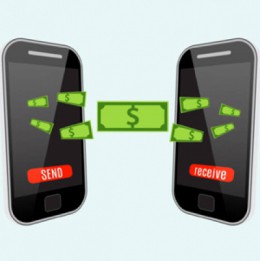
For many of us, money transfer services are becoming a part of everyday life. No more writing a check or handing someone cash! The Brella™ app powered by SHAZAM offers the ability to send person-to-person (P2P)money transfers to anyone with an eligible debit card. Quickly and securely send money to your college student, pay your neighbor at the local community garage sale, or (as in the video above) chip in to pay for your parent’s dream vacation.
There are no two-to-three day waiting periods, no trips to the bank – it’s all within the SHAZAM Brella mobile app!
Here are the steps to send money:
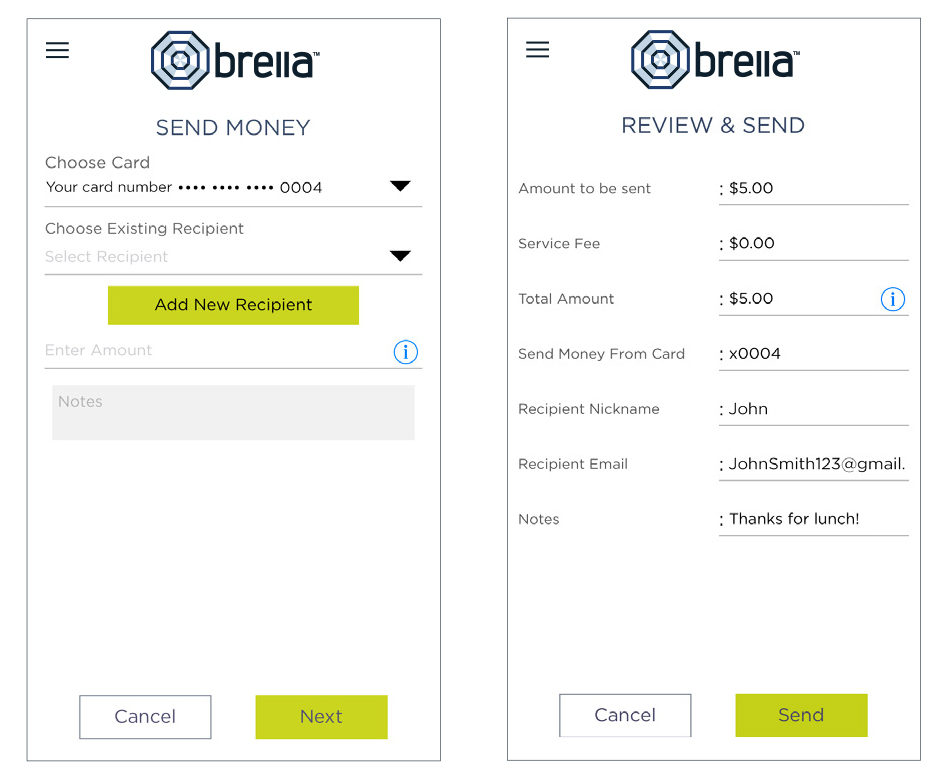
- Tap Send Money on the Menu or Card Actions screen.
- Choose card.
- Choose an existing recipient or add a new recipient*.
- Enter the dollar amount.
- Include comments in the notes (optional).
- Tap Send on the Review & Send screen.
- You will get an immediate phone call from Shazam. Verify the transaction by entering your 4 digit pin followed by the # sign.
*If adding a new recipient, enter their email address, nickname, amount, and optional notes. They will get a registration request via email to enroll in Brella. The new recipient must be registered and validated in order to receive the funds.
Did you know there are many other useful features to the Brella app? From adding a layer of fraud-fighting protection to submitting a travel notice, you can take more control of your account.
With Brella you can also:
- Set alerts when your card is used so you can quickly detect unauthorized or fraudulent activity.
- Turn your Debit Card off and on. This is great if you misplace your card!
- Check your account balance without logging in with the Quick Balance feature.
- Find nearby surcharge-free ATMs.
- Log in with just your fingerprint.
- Submit travel notices by using the "Manage Travel Notices" option.
Don’t have the free* SHAZAM Brella mobile app? Search "Brella Card Manager" in the Apple® App Store or Google Play™ to download. If you have any questions, please stop in and see a personal banker at any First Citizens location or call us 800-423-1602. We’re glad to help!
*There is no fee for the SHAZAM Brella mobile app. Your mobile carrier's text messaging and web access charges may apply.
August 30, 2021 by First Citizens Bank
By clicking the links above, you are now leaving First Citizens Bank's website and are going to a website that is not operated by the bank. First Citizens Bank is not responsible for the content; availability of linked sites; does not endorse or guarantee the products, information, or recommendations; and is not liable for any failure of products or services provided by the linked website. Please be advised that First Citizens Bank does not represent either the third party or you, the customer, if you enter into a transaction. Further, the privacy policy of this site owner may be different than that of the bank and this site may provide less security than the bank's website. We encourage you to read the privacy policies of websites reached through the use of links from the First Citizens Bank website.